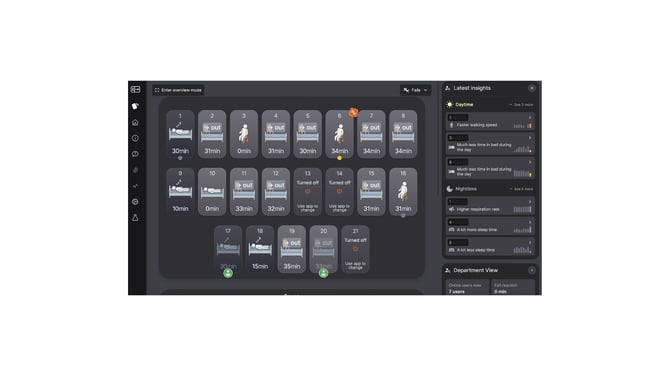
- The overview page will show a display of resident cards/pictograms of all the individual residents/patients at your site
- The resident cards will demonstrate the activity of each resident - for e.g., if they are sleeping, sitting or out of the room (see more about reading the resident cards in ‘Understanding Resident Cards’.
- On the top right hand corner of the screen, you will see a ‘Falls’ button with an arrow pointing downwards. If you click on this button, you will see a list of recent resident/patient falls that fall into the category of ‘Unreviewed’ (where you will be able to review and categorise recent falls), ‘All Falls’ (where you can view all falls according to date), ‘Safe to Ground’ (falls that were safe to ground/assisted by a floor mat) and ‘Deleted’ (movements that the system detected that were not falls, and were categorised as such).