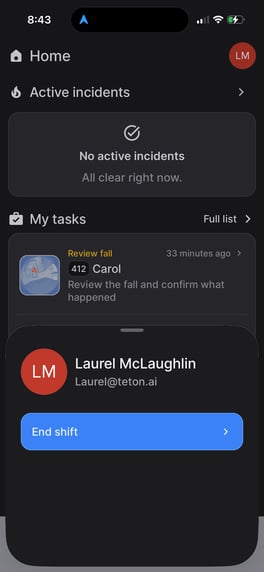
To log out of the Teton App:
- Click on 'Home' along the bottom panel
- Click on profile icon in the top right of the screen.
- On the pop up that shows, click "End Shift".
- Note: staff names will only appear if your community is set up to utilize usernames.
- Note: staff names will only appear if your community is set up to utilize usernames.