Types of Notifications
There are three types of notifications within Teton:
- Alarms: activities that require attention right away (like a fall)
- Warnings: activities that are helpful to know, but don't need immediate action (such as a resident getting out of bed)
- Silent: Activities that happen frequently and don't require notification (such as a self-reliant resident standing up from a chair)
Alarms
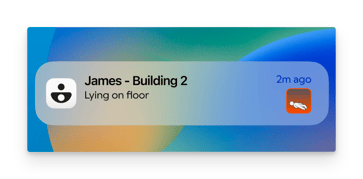
Alarms are for activities that need to be responded to immediately; such as a fall or a high fall risk resident getting out of bed. When an alarm goes off, you'll hear a loud sound and receive a notification on your device, and the resident's card will turn red within the app, untill staff have entered the room.
Warnings:
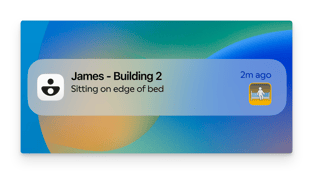
Warnings bring your attention to things that are 'nice to know' , but don’t requite immediate attention, such as a disorientated resident sitting up in bed.
You’ll hear a small warning sound, and the card will flash yellow for a short period of time before fading back to gray.
Understanding what Notifications are Set
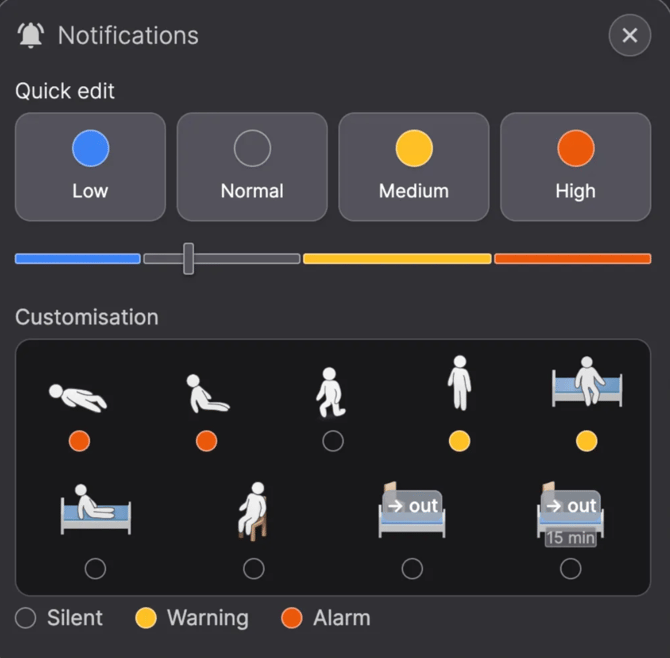
You can change what specific notifications you want for each resident to match their individual care needs.
For example, in the image below, the red dot under ‘Fall’ and ‘Sitting on floor’ indicates that you will receive alarms on those two activities. The yellow dots under ‘standing’ and ‘sitting on edge og bed’ indicate that you will receive a warning on those two actions. The gray dots under all the other actions indicate that they are set to silent.
💡A resident’s notification settings are shared between all staff, meaning if you choose that a resident should have an alarm on ‘standing’ then all your other colleagues will also get an alarm when that resident stands up.
💡All new residents will be set with 'Normal' notifications set, meaning there will be Warnings for sitting up in bed and standing, and alarms for sitting or laying on the floor.