By default, you receive notifications as a little beeping sound. However, sometimes you might be occupied with something else when the alarm sounds. Therefore, we have made it possible to have the alarms read aloud, so you can know the condition happening and which resident it concerns, without needing to look at the phone.
Selecting spoken alarms
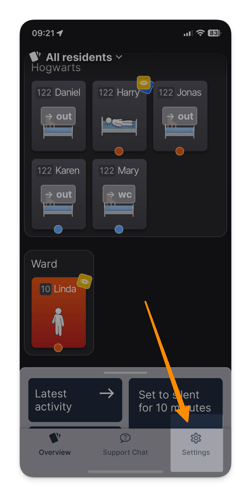
- Click on Settings in the bottom right corner of the mobile app.
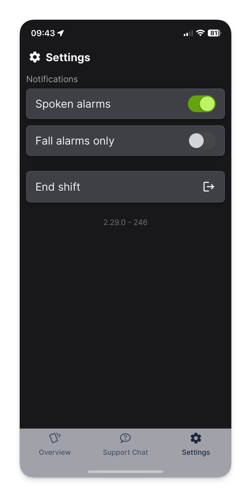
- Under Settings, you can click on 'Spoken alarms', so that it lights up green.
- These settings are only applied in the time your phone is logged in. And it will not affect how alarms are sent on the other phones