How to turn off the sensor:
If a resident has passed away, been admitted to the hospital, or for any other reason isn't going to be in their room for an extended time period, there is an option to deactivate the sensor.
On the desktop:
- Navigate to ‘Overview’
- Click on the resident card of the individual you would like to turn the sensor off for
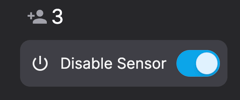
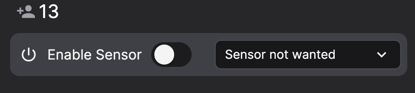
- In the top right corner you will see a sensor switched on/off button.
- Clicking this button will ‘flip’ the switch. If it is blue, the device is switched on, if it is grey, the device is switched off.
- Please select a reason for why the sensor should be switched off
- On the overview, the resident card will now display 'Disabled'. When you want to activate the sensor again, you follow the exact same process.
On mobile:
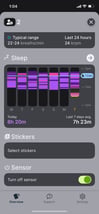
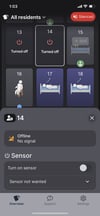
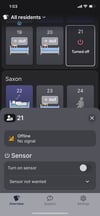
- On the main overview page, tap on the resident’s card and scroll to the bottom
- Click the button that says ‘Turn off sensor’ under ‘Sensor’.
- Please select a reason for turning off the sensor
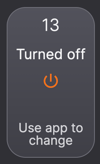
- On the overview, the resident's person card will now display ‘Turned Off’. When you want to activate the sensor again, you follow the exact same process.