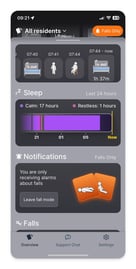
Busy shift with lots going on? We understand. Which is why (if your location allows it) we have the option to choose to only filter out all the other alarms and warnings that you would usually get on your residents, and just receive alarms when they fall.
It’s for those cases where it wouldn’t make sense to put your residents on low risk, since they aren’t, but there are too many other things going on to react to anything other than the most urgent events.
Using Fall Mode
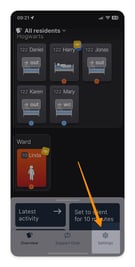
- Go to the settings page on the navigation menu
- Turn on the “fall alarms only” toggle
- That’s it. When you return to the overview now you can see a message reminding you that you are in fall mode.
- You will only receive alarms when a resident falls, nothing else.
- In this mode you can’t change risk settings.
- To turn off, go back to the settings page.
The fall mode switch can be found in the settings menu
Click on the ‘fall alarms only’ toggle to turn on fall mode
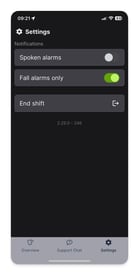
In fall mode you will only receive fall alarms, even if residents have other alarms chosen
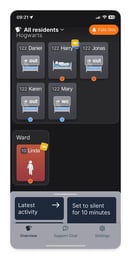
You cannot change risk settings in this mode